 BlipShelf
Too busy to organize,
but you still need to remember.
BlipShelf lets you log a phone call, a decision, or whatever just happened in a few seconds, as easily as sending a message. No need to write it up properly in the moment: time, tags, and drawers keep the record so you can find it again when you need it.
For iPhone, iPad, and Mac.
Log it, look back, open a drawer
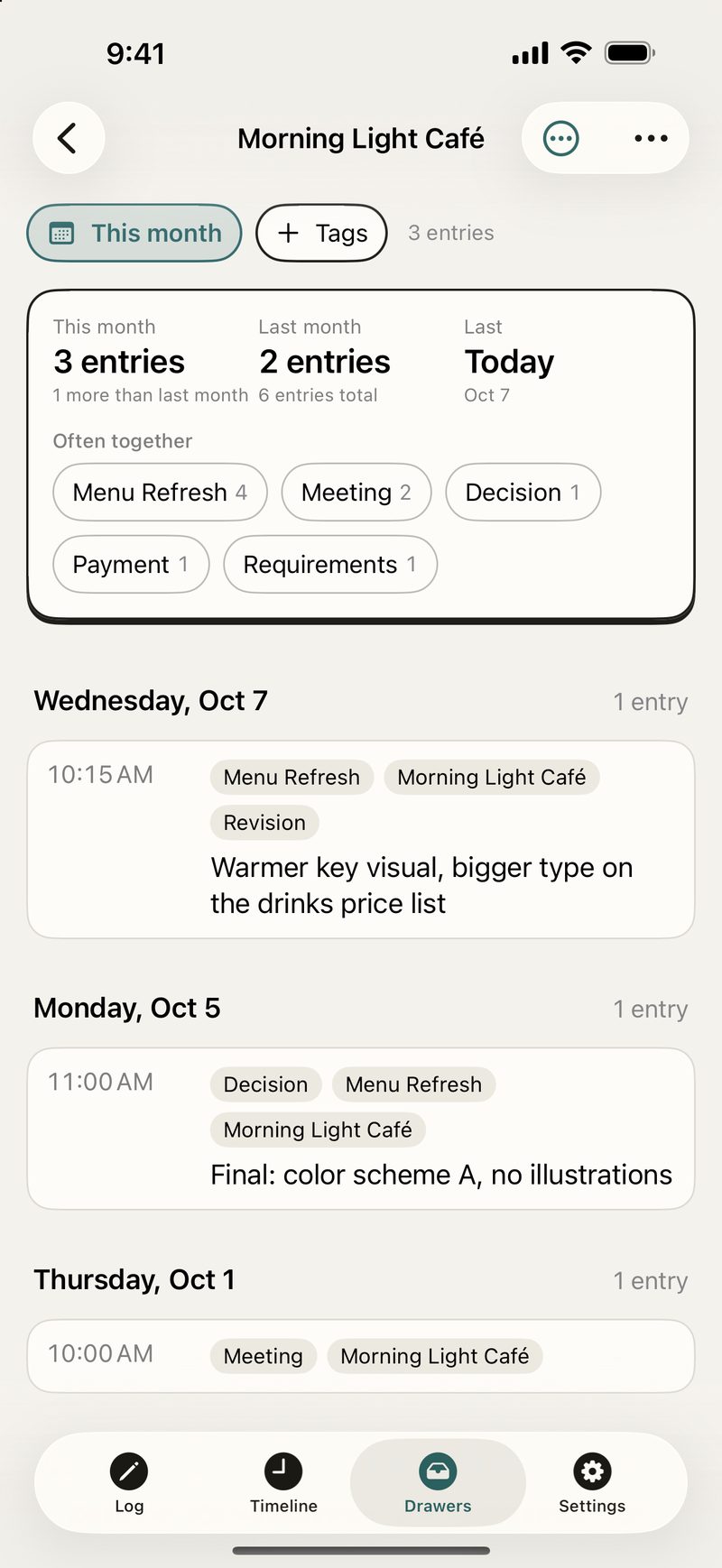
All clients and content shown are sample data.
Log it now, no need to wait until you have time to organize
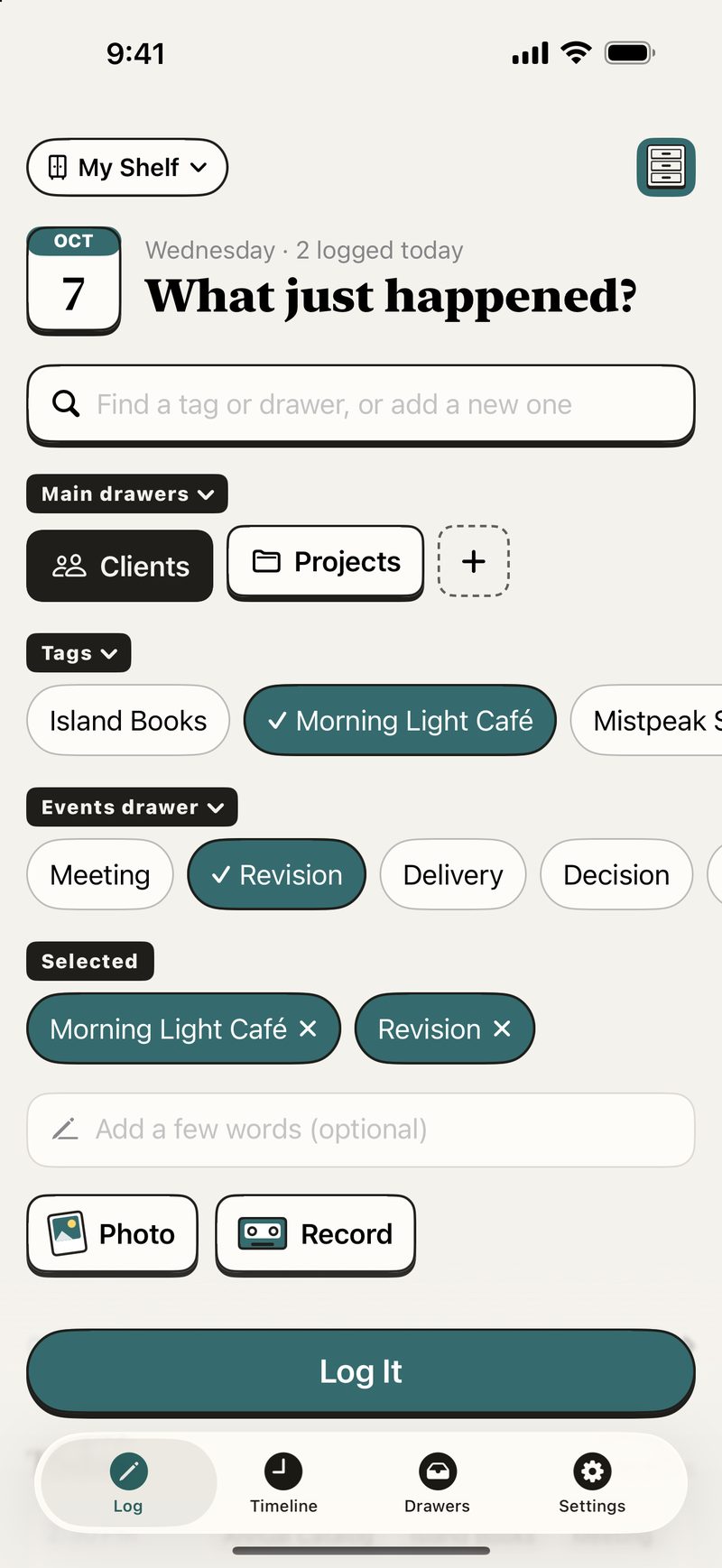
When something happens, tap a few tags and press “Log It.” Notes, photos, and recordings are all optional. A single tag is a complete entry. You don't have to plan a filing system first, and you won't end up with yet another to-do waiting to be sorted.

Log it in seconds
Pick tags, add a few words, or just record a voice note. The time is captured automatically.
Organize your way
One entry can carry several tags and shows up in every related drawer. No copying, and no deciding where it “really” belongs.
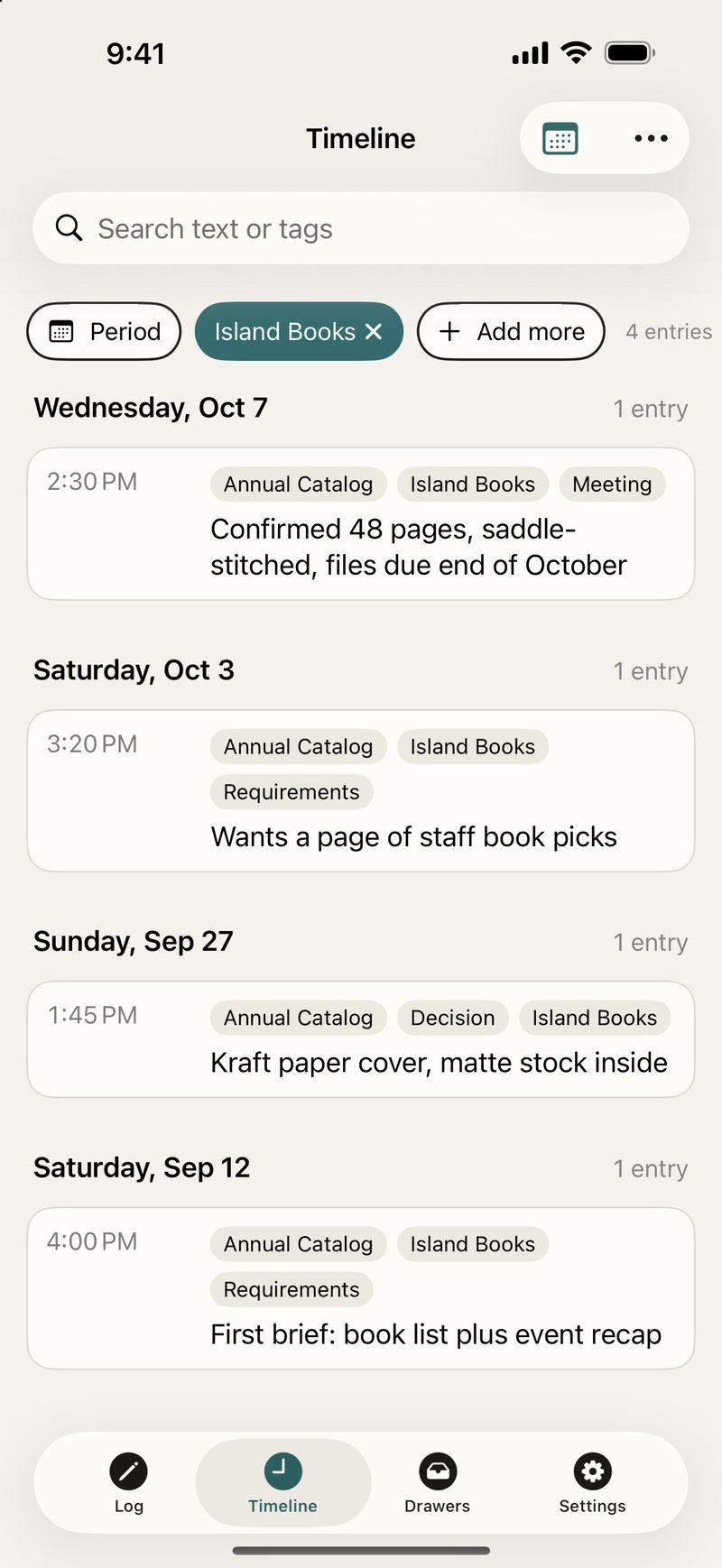
Find it when you need it
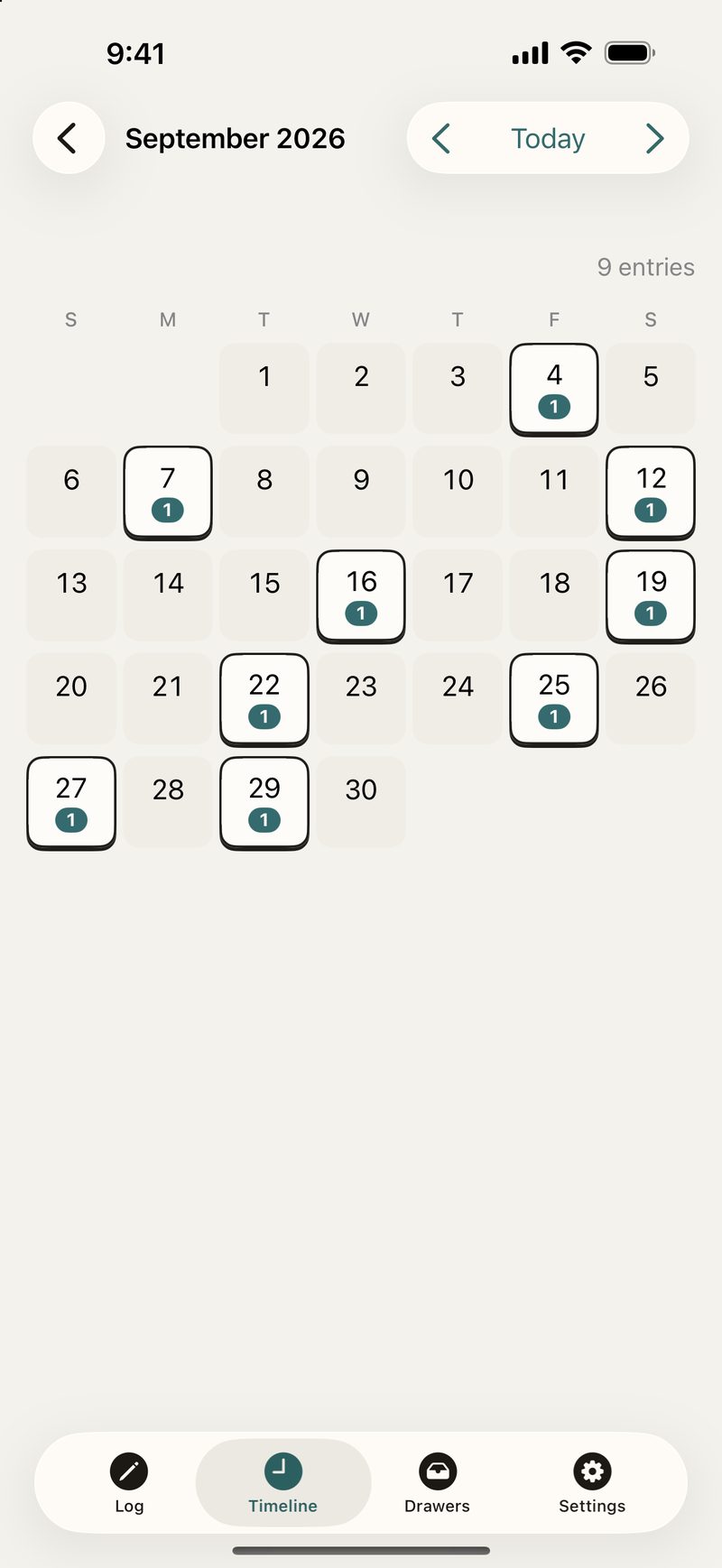
Look things up by time, drawer, tag, or keyword. Weeks or even months later, you can still find what happened.
Because I was too busy to take proper notes, too
When work got busy, I rarely had time to open Notion, find the right page, and write up what had just happened. So I first built a LINE bot that saved my messages for me, as easily as texting.
Logging got faster, but the messages piled up with no structure, and finding things was still hard. That's where BlipShelf began: keep the speed of sending a message, then add time, tags, and drawers, so the small things aren't just written down but can actually be found again.
No need to design a filing system first
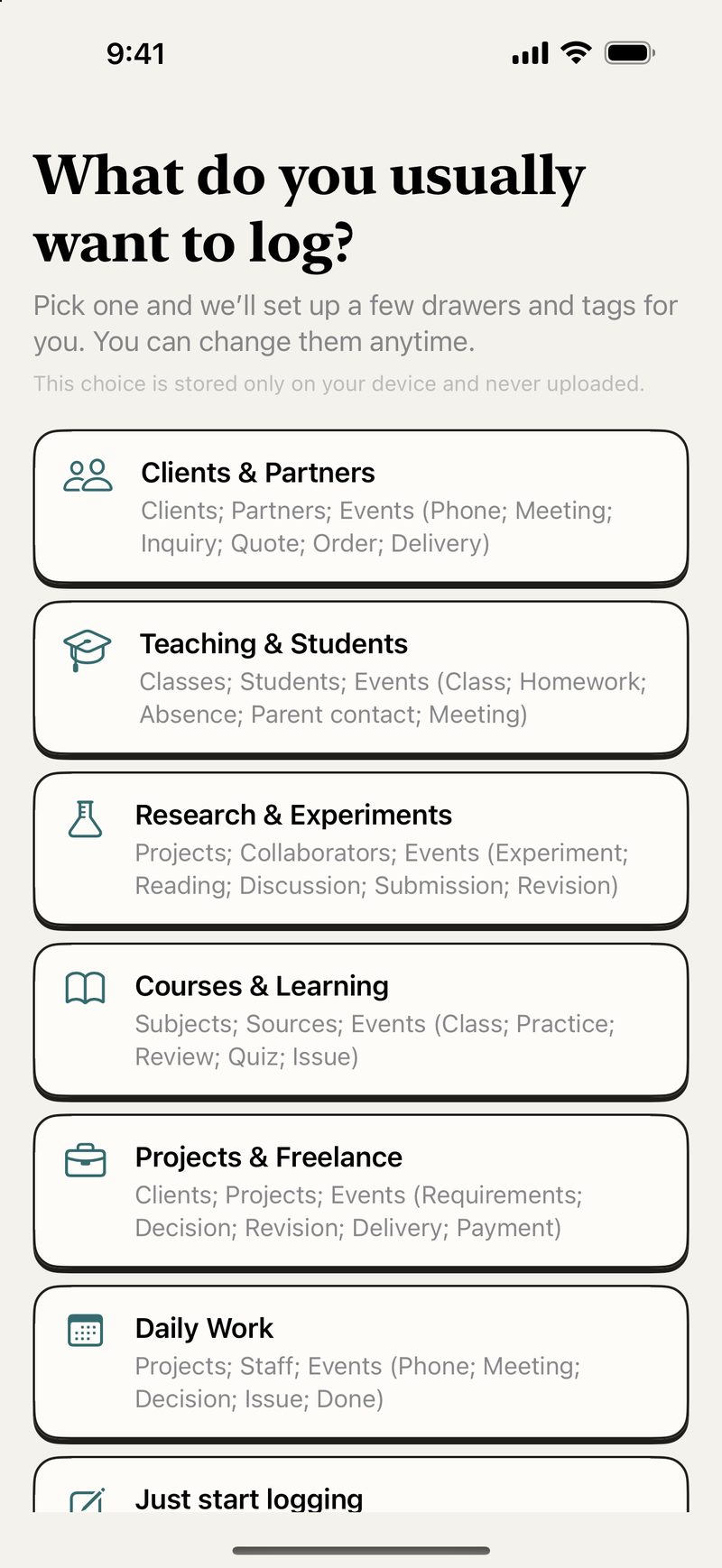
The first time you open the app, pick the situation closest to yours and BlipShelf sets up drawers and tags you can use right away. Everything can be changed later, and your choice is stored only on your device, never uploaded.
Clients, partners, and freelance
Log calls, requests, quotes, decisions, revisions, and deliveries. Next time you get in touch or review a project, no more digging through scattered messages.
Teaching, research, and learning
Keep track of classes, students, experiments, reading, discussions, and revisions, so bits of progress add up to a timeline you can look back on.
The small things you never get around to organizing
Calls, meetings, decisions, problems, and things done. Leave yourself a clue in the moment, without turning every little thing into a formal report.
Log it as it happens, find it later at your own pace
Don't feel like typing? Just say it
Record the details of a call that just ended or what's happening on site, and transcribe it later when you want to search. Speech recognition runs on your device, and the original recording is kept.
Log it on iPhone, find it on Mac
iPhone is great for quick logging; iPad and Mac are great for looking back. Whether to sync through your private iCloud is up to you.
Your work is still yours
BlipShelf has no accounts and no developer servers.
- No ads, no trackingNo ads, no tracking tools, and we never sell usage data.
- Your content stays on your deviceData stays on your device by default, and recordings are never sent to outside AI services.
- No profile neededNo sign-in required, and the app never reads content from your other apps.
If you want it on more than one device, you can turn on private iCloud sync yourself. You can also export your entries, photos, and recordings at any time. See the Privacy Policy.
BlipShelf won't turn into another work-management system
BlipShelf is not a CRM, a to-do list, a project-management tool, or a work diary that wants you to check in every day. It focuses on just three things: log it → file it in a drawer → find it when you need it. No streaks, no nagging notifications, no progress pressure, and no reminders that you still have “3 items left.”
Try it early on TestFlight
BlipShelf is now in public testing on TestFlight. Tap the link below to join. If you often toss work details into a chat, a notes app, or your own head, and later can't find:
- When you last talked about something
- What the other person agreed to
- When a decision was made
- What you actually got done today
First install Apple's TestFlight app on your iPhone, iPad, or Mac, then tap the link above to join. No account needed; your data stays on your device and in the private iCloud you choose to turn on. Questions or suggestions? We'd love to hear from you.
Frequently asked questions
Do I need to sign up for BlipShelf?
No. Download it and start using it.
Do I have to use iCloud?
No. iCloud sync is off by default, and you can keep your data on just this device.
Can I take my data with me?
Yes. You can export your entries, tags, photos, and recordings in a readable format.
Which devices and languages are supported?
iPhone, iPad, and Mac, in Traditional Chinese, Simplified Chinese, English, Japanese, and Korean.
Log the small things now, find the details you'll need later
BlipShelf — A private timeline of your work.